Scan
See supported categories and space estimates. Scanning does not remove files.
Less clutter. More control. See temporary files and caches, review what was found, and choose what goes.
Standard cleanup is free · No signup to download
Installer is unsigned. File details, checksum & first-scan help
 SafeSweep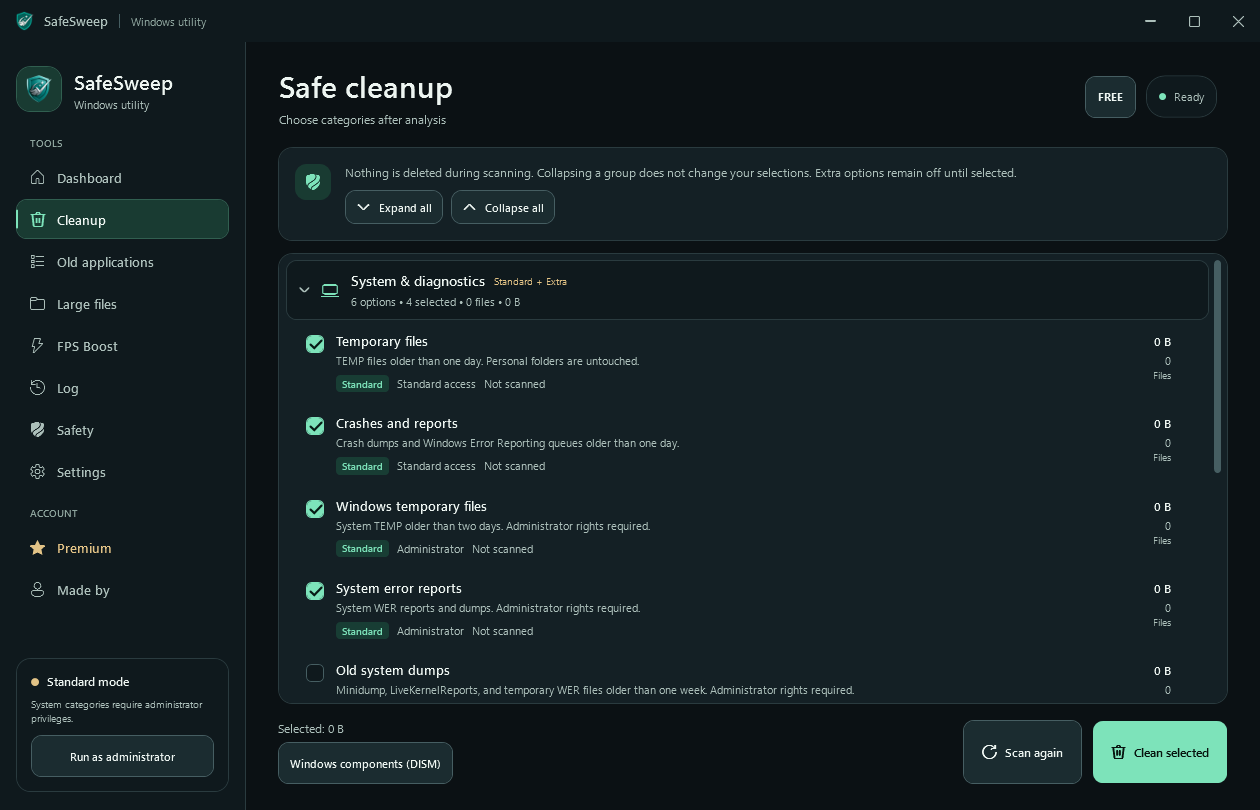
YOU CALL THE SHOTS
See supported categories and space estimates. Scanning does not remove files.
Read the descriptions and select only the categories you want to clean.
Review the confirmation, then clean your selection. Keep the final say.
A FOCUSED TOOLKIT
Start with free Standard cleanup. Explore deeper tools when you need them, without losing control of your files.
Scan supported temporary and cache locations. Read the categories, see space estimates, and clean only your selection.
Explore the cleanup guideExtra CleanUp adds more supported locations. Large Files and Old Applications help you review what is taking space.
See Premium toolsFinding a large file does not delete it.
Review supported PC and gaming settings. Original settings are saved so you can restore them through Restore All.
Understand FPS BoostNo guaranteed FPS gain. Restore All is for settings, not deleted files.
REVIEW FIRST. CLEAN SECOND.
Personal folders are excluded from automatic cleanup. An explicit confirmation comes before removal.
Read the safety checklistDocuments, Desktop, Pictures, Music, and Videos are excluded from automatic cleanup.
Review categories and estimates before choosing what to clean.
Local cleanup history lets you review what happened. Cleanup is not undoable—back up important files.
YOUR PC. YOUR PLAN.
No payment needed for Standard cleanup. Premium is an optional upgrade with no automatic renewal.
$0 / free
A clear starting point for everyday Windows cleanup.
$9.99 / month
More ways to review storage and tune your Windows PC.
GOOD TO KNOW
Have a different question?
You can contact the developer directly.
Yes. Standard cleanup is free. Download it without creating a website account or entering payment details. Extra CleanUp, Large Files, Old Applications, and reversible optimization are optional Premium tools.
Additional categories include developer package caches, deeper browser and WebView caches, Microsoft Store temporary files, old system dumps, archived Windows diagnostic logs, and old NVIDIA download caches. Availability depends on your PC; some categories require administrator rights. Cleared caches may need to download or rebuild again.
Documents, Desktop, Pictures, Music, and Videos are excluded from automatic cleanup. Browser cache cleanup excludes passwords, history, cookies, and bookmarks. Large Files is a separate Premium review tool; finding a large file does not delete it.
It depends on your PC. Scan results are estimates; locked or changed files can reduce the amount actually cleaned. The app screenshots show the interface before scanning, not a promise of recovered space.
FPS Boost saves supported original Windows settings for restoration through Restore All. Results depend on your hardware and workload; there is no promised FPS increase. Restore All does not recover deleted cleanup files, so review your selection and back up important files.
The current installer is not signed with a trusted code-signing certificate yet. Windows may show an unknown publisher or SmartScreen warning. Keep Windows Security enabled and review any warning before deciding whether to install. File details and the checksum are on our download page.
A LITTLE LESS CLUTTER.